> ## Documentation Index
> Fetch the complete documentation index at: https://committ.mintlify.site/llms.txt
> Use this file to discover all available pages before exploring further.
# December 13th, 2025
> The day we actually understood Google OAuth. Web vs Native authentication, SHA fingerprints, and why native auth requires rebuilding.
# December 13th, 2025
**The Day We Actually Understood Google OAuth**
Today was about getting clarity. After yesterday's Convex victory, we dove deep into Google authentication and discovered there are actually two completely different approaches. This was a solid learning arc.
***
## The Main Problem
**Q: What were we trying to solve?**
We wanted to implement Google login properly in our app (Expo + Better Auth), with:
* Good user experience
* Stable session handling
* No weird redirects or broken auth flows
***
## The Two Types of Google OAuth
**Q: What are the two major approaches?**
We learned that Google OAuth has two completely different approaches:
1. **Web OAuth**
2. **System (Native) OAuth**
This distinction was not clear to us initially, which caused a lot of confusion.
***
## How Web OAuth Works
**Q: How does Web OAuth work?**
In Web OAuth:
* User is redirected to a browser/webview
* Google verifies only 2 things:
1. The user knows their Google password
2. The OAuth client (web client ID) is valid
**Good for:**
* Websites
* Pure web apps
**Problems in mobile apps:**
* User experience is worse (app → browser → app)
* Session handling becomes tricky
* Feels clunky and non-native
***
## How System (Native) OAuth Works
**Q: How does System-based OAuth work?**
In System-based OAuth (Google Sign-In SDK), Google verifies **3 things**:
1. **User identity** → User knows their Google account password
2. **Device authenticity** → Google Play Services verifies the device & Google account
3. **App authenticity** → Verified using the SHA fingerprint of the app
**Benefits:**
* More secure
* Smoother UX (no browser redirect)
* Ideal for mobile apps
* Feels native and instant
***
## Why We Initially Chose Web OAuth
**Q: Why did we start with Web OAuth?**
Because:
* We didn't fully understand the difference at first
* Better Auth documentation leaned more towards web-style OAuth
* It felt "simpler" to start with
But this led to problems.
***
## Problems We Faced with Web OAuth
**Q: What went wrong?**
* Dependency mismatches between Expo + Better Auth
* Confusion around redirect URLs and .site server
* Session not behaving as expected
* Poor UX due to browser-based login
At this point, we realized: **"This stack is not meant to feel native."**
***
## The Switch to Native OAuth
**Q: Why did we decide to switch?**
Because:
* Native Google Sign-In gives better UX
* No browser jump
* Google Play Services handles device validation
* Login feels instant and reliable
So we decided to do it properly.
***
## What We Learned for Native OAuth Configuration
**Q: What needs to be configured for Native Google OAuth?**
Three things must be configured:
### 1. SHA Fingerprint
* Generated from the app's signing key
* Uploaded to Google Cloud Console
* Proves that this exact app binary is allowed to log in
### 2. Web Client ID (Important Confusion Resolved)
At first we asked: **"Why do we need a web client ID for native login?"**
Then we understood:
* Every web client ID is mapped to a `.site` server
* Google uses this to know:
* Which HTTP server to send the auth result to
* How to validate tokens server-side (Better Auth / Convex)
**The flow:**
```
Native SDK → gets token
Token → validated via web client ID → mapped to backend server
```
### 3. System / Device Validation
Google Play Services automatically:
* Confirms device integrity
* Confirms logged-in Google account
* We don't manually handle this part
***
## The Final Blocker
**Q: What was the final blocker for Native OAuth?**
Native OAuth requires:
* Native modules
* Which means: **We must rebuild the app binary**
* Expo Go alone is not enough
***
## The Solution
**Q: How did we fix it?**
* We rebuilt the app
* Installed the new native build
* Configured Google Sign-In properly
* Retested the flow
***
## The Final Result
**Q: What was the outcome?**
* ✅ Google login worked successfully
* ✅ Smooth native experience
* ✅ No browser redirects
* ✅ Proper session handling
* ✅ Correct security model
***
## The Biggest Lesson
**Q: What's the key takeaway from this whole struggle?**
* OAuth type matters a lot
* Web OAuth ≠ Native OAuth
* Better Auth + Expo requires careful alignment
* Native auth almost always means rebuilding
* Good UX often comes at the cost of deeper setup
* But once it clicks — it's solid
***
## Honest Feedback
**What went well:**
* 👍 Persistence was the reason this worked
* 👍 Didn't blindly copy-paste configs
* 🔥 Now we actually understand Google login, not just "used it"
**What was expected:**
* ⚠️ Initial confusion was normal — OAuth is genuinely messy
* The learning curve was steep but worth it
***
## Summary
Today was about understanding, not just implementing. We went from:
* Confusion about OAuth types
* To clear understanding of Web vs Native approaches
* To successful implementation of Native Google Sign-In
The key insight: **OAuth type fundamentally changes the user experience and technical requirements.**
Tomorrow: Build on this solid foundation and continue with the app.
***
## Proof of Work
### The Errors We Battled
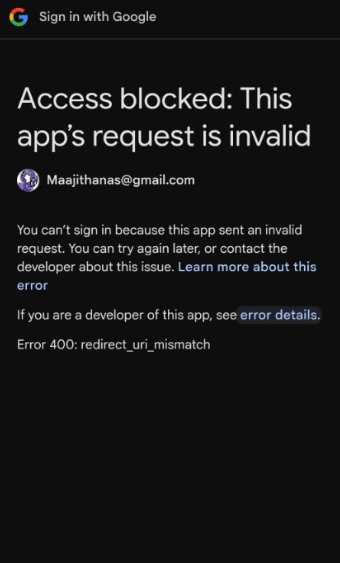
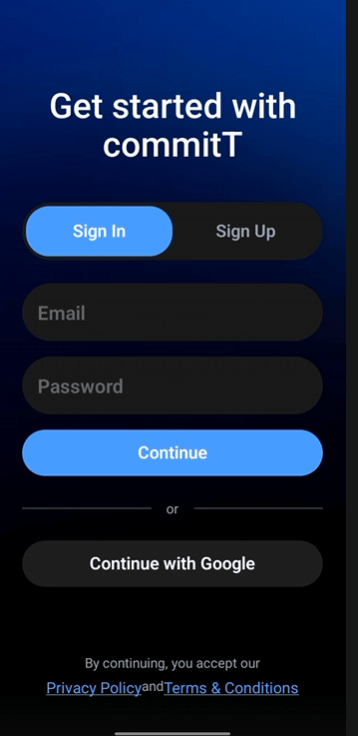
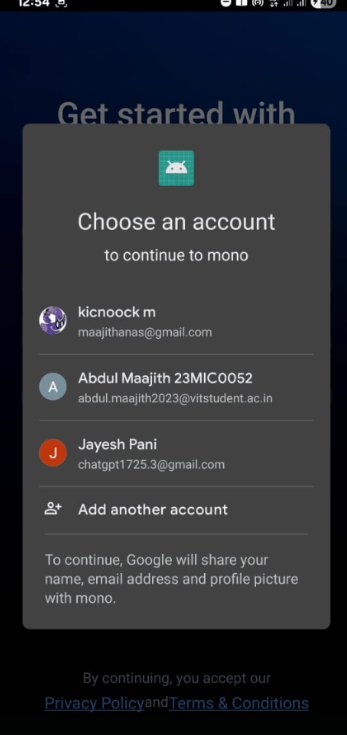
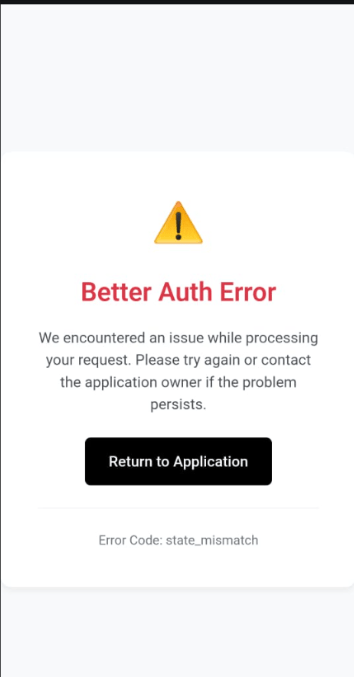 ### The Victory