

Welcome to CommitT
CommitT is a self-binding accountability system that enforces commitments through hardware-level app blocking, 1Hz GPS geofencing, and automated penalties. Unlike standard to-do apps that rely on willpower, CommitT makes it physically impossible to break your rules.App Walkthrough & Features
The following step-by-step walkthrough demonstrates the user flow of setting up a new Gym Commitment, managing scheduling/overrides, verifying conditions, and viewing logs.Phase 1: Creating a Commitment (The Wizard Flow)
We begin by configuring a new accountability task: setting up scheduling, locations, app blocklists, and penalty stakes.1. Main Dashboard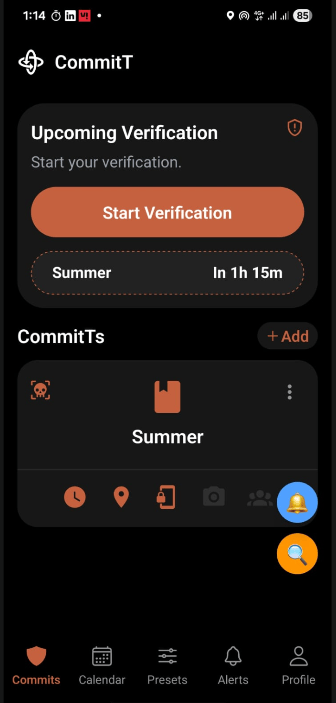 Ready to create a new commitment. Tap the + Add button. | 2. Wizard Configuration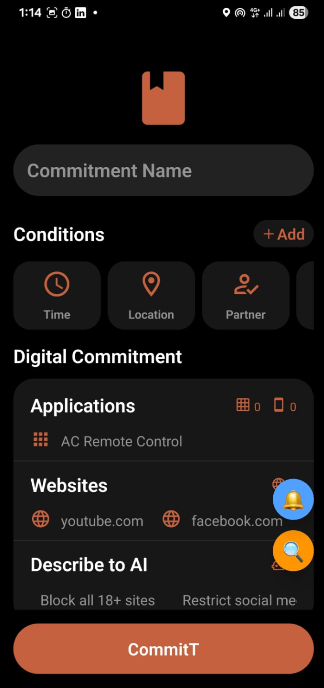 Enter name (e.g. Gym) and basic parameters for the new commitment. | 3. Time Slots & Days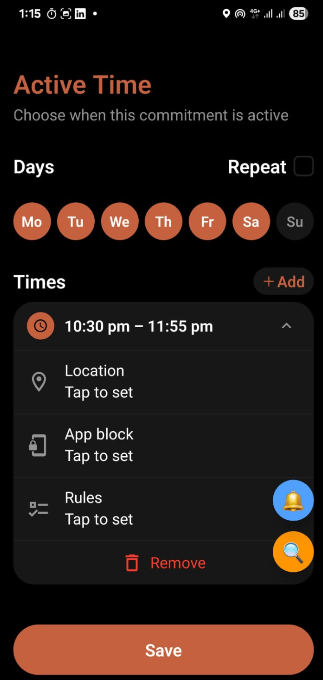 Add the active days and specific time windows. | 4. Slot Geofencing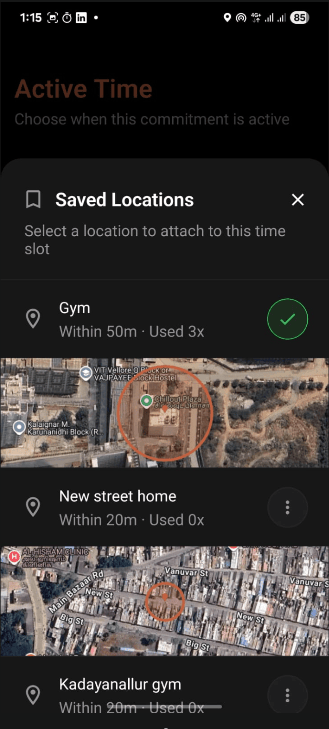 Configure location bounds per time slot (selecting Stay Throughout or Just Show Up logic). |
5. Slot App Blocking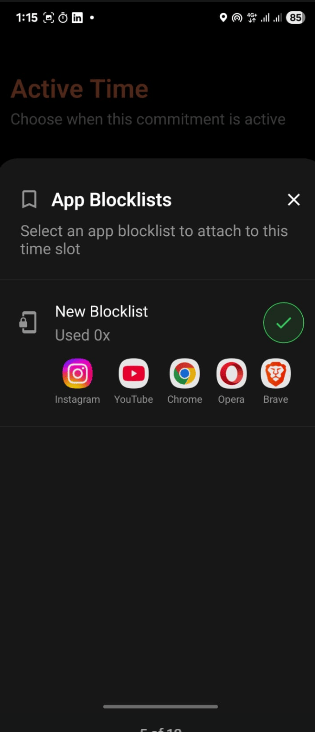 Select which apps to block during this specific time slot. | 6. Slot Behavioral Rules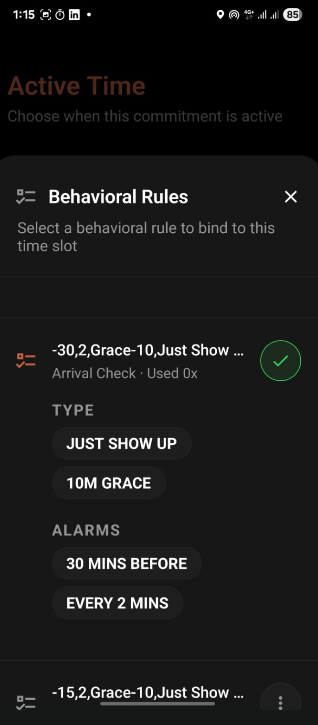 Configure granular behavioral rules, intensity levels, and alarm timings for the slot. | 7. Universal Location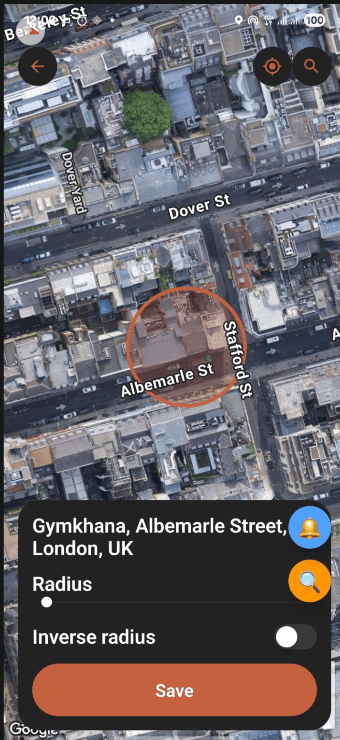 Set an overall location fallback that applies universally to all slots unless overridden. | 8. Universal App Blocking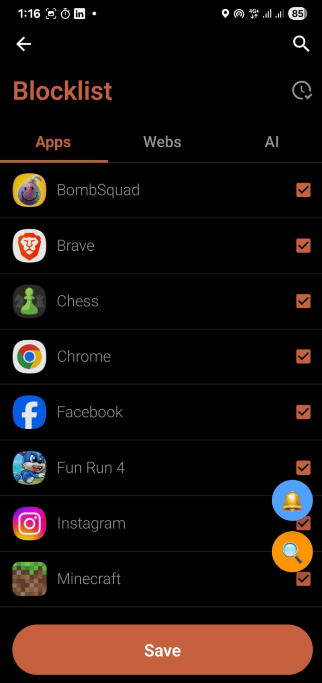 Set an overall app blocklist that applies universally to all time slots. |
9. Penalties & Waivers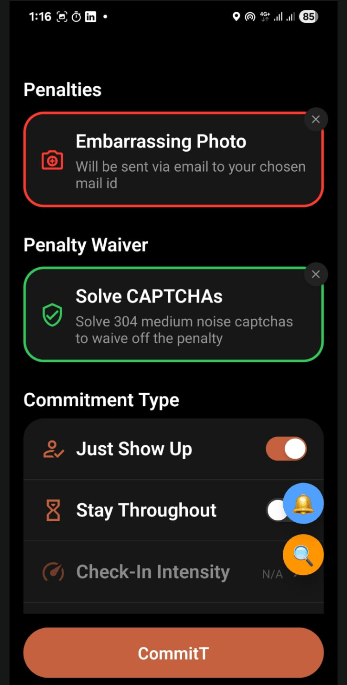 Configure financial stakes, social penalty images, or waiver redemption options. | 10. Universal Rules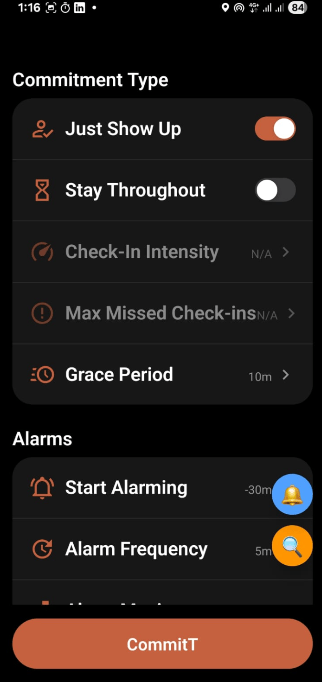 Define overall behavioral rules (per-slot settings will automatically override these). | 11. Dashboard Updated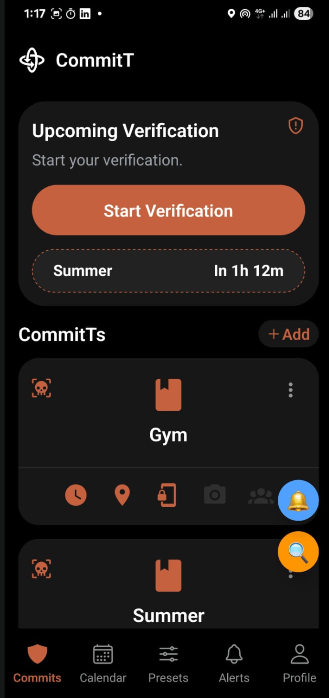 Back to the main dashboard displaying the newly added, active Gym commitment. |
Phase 2: Calendar, Presets & Enforcement History
Once commitments are active, CommitT schedules task instances, runs background monitors, and logs enforcement.12. Task Calendar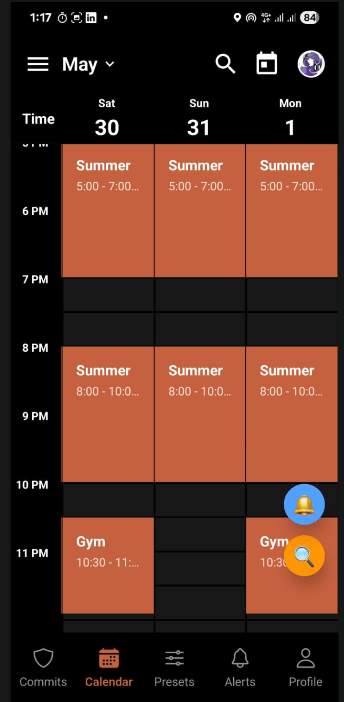 View generated task instances (e.g. Gym session scheduled for 10:30 PM - 11:55 PM). | 13. Instance Modal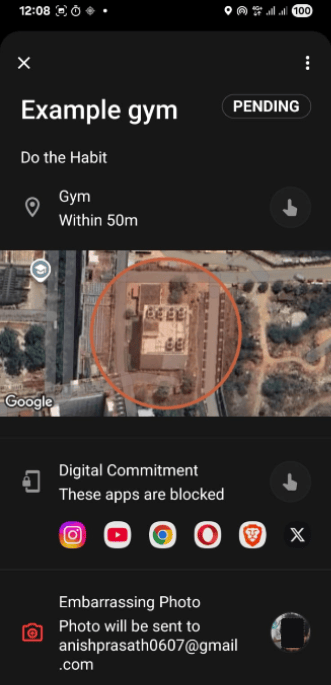 Clicking a calendar instance opens the action modal showing details and conditions. | 14. Presets (Location, Blocks, Rules & Photos)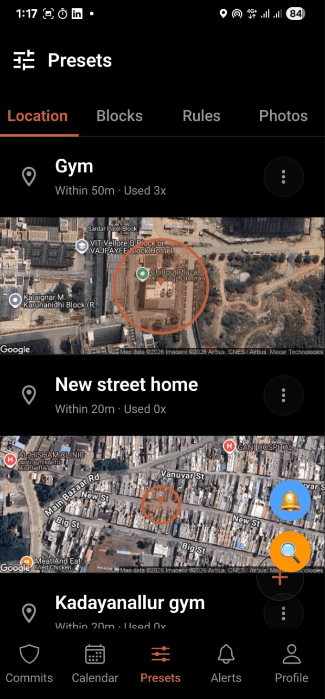 Save repeatedly visited places, app blocks, rules, and photos here to reuse them directly in time slots. | 15. Upcoming Tasks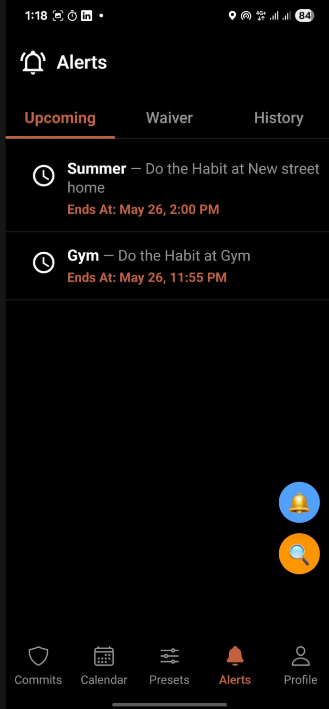 Shows upcoming tasks and active commitment windows. |
16. History & Audit Logs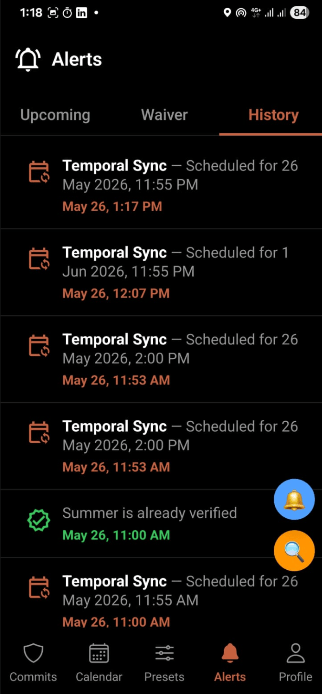 History of all scheduled tasks, failures, penalty status, and compliance audit logs. | 17. Profile & Settings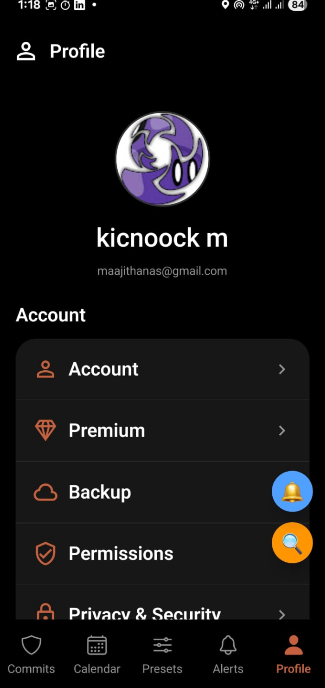 Manage active profile settings, account credentials, and enforcer flags. |
Real-World Use Cases
See how CommitT handles real-life scenarios to enforce habits, prevent distractions, and lock you in during critical periods.1. Gym Consistency (The “Just Show Up” Model)
The Problem: You keep skipping morning workouts. You snooze your alarm at 5:45 AM and tell yourself you’ll go tomorrow. How CommitT Solves It: You configure a commitment named “Gym Workout” with the following rules:- Time Slot: Mon, Wed, Fri from
6:00 AM – 7:30 AM. - Location: Fitty Gym VIT coordinates (50-meter geofence radius).
- Grace Time:
10 minutes(you must arrive and check in by 6:10 AM). - Alarms: Armed to start ringing
15 minutes before(5:45 AM) every2 minutesuntil verified. - Penalty: Stake
$10or configure an Embarrassing Photo to be emailed to your chosen address on failure. - Waiver: Solve
50 CAPTCHAswithin a 1-hour deadline to defuse the penalty if you fail.
2. Deep Study Sessions (The “Stay Throughout” Model)
The Problem: You go to the library to study, but you end up spending hours doomscrolling Instagram, Twitter, and Reddit on your phone. How CommitT Solves It: You configure a commitment named “Library Focus” with the following rules:- Time Slot: Daily from
8:00 PM – 10:00 PM. - Location: VIT Central Library coordinates.
- App Blocklist: Instagram, Twitter, and Reddit are selected.
- Verification Mode: Stay Throughout (Intensity: Moderate, Max Missed In: 3).
- How it behaves:
- At 8:00 PM, the accessibility service detects if you try to open social apps and immediately displays a full-screen blocking overlay.
- At random times throughout the session (which you cannot predict), the phone sounds a check-in alarm. You must verify that you are still inside the library.
- If you step out of the geofence or fail to answer a check-in, it counts as a miss. If you accumulate more than 3 misses, the penalty activates.
3. Exam Lock-In Week (The “Strict Mode” Sprint)
The Problem: Finals are in a week. You need to lock in and study 8 hours a day. You set up blockers, but you know that when you get stressed on day 3, you will edit or delete the tasks to escape them. How CommitT Solves It: You configure a high-stakes, non-repeating sprint named “Finals Lock-in”:- Recurrence: Uncheck Repeat (runs for this week only, then expires).
- Schedule: Two daily time blocks:
9:00 AM – 1:00 PMand2:00 PM – 6:00 PM. - Enforcement: Block Apps preset (“Distractions”) + AI input: “Block all entertainment and streaming websites”.
- Strict Mode: Enabled. Once saved, the Convex database flags this commitment as immutable. Edit and delete operations are rejected on the server until the week ends.
- Verification Mode: Stay Throughout (Intensity: Strict, Max Missed In: 1).
- Penalty: Stake
$50+ Embarrassing Photo penalty. - Waiver: Solve
200 CAPTCHAsto waive.
Feature Index
Here is the complete list of capabilities you can configure with CommitT:Setup & Permissions
OS Permissions Audit
Prerequisite checks for all 8 Android system permissions before activation to guarantee background persistence.
Device Admin Lock
Enables Device Administrator access to block any attempts to uninstall the application to escape active commitments.
Appear On Top
Draws full-screen overlay block screens directly over target applications before their first frame renders.
Battery Optimization Bypass
Disables system battery-saver restrictions so background tasks and verification services stay alive.
Core Configuration
Task & Instances
Commitments spawn independent, immutable instances so history records cannot be retroactively modified.
Flexible Time Slots
Configure multiple target windows per day with custom repetition settings (weekly or one-off sprints).
Per-Time-Slot Attachments
Assign unique locations, app blocklists, and rules to individual slots within the same task.
Configuration Presets
Save frequently used Locations, Blocklists, and Rules for one-tap commitment planning.
One-Screen Day Planning
Configure your entire day’s routine—from morning gym to evening study—within a single task calendar.
Verification & Enforcement
Digital App Blocker
Select individual Android applications to block when a commitment window is active.
Web Domain Filter
Enter specific web domains (e.g., youtube.com) to restrict access during study windows.
AI-Powered Rules
Describe what to block in natural language (e.g., “Restrict all shopping and gaming sites”) to auto-configure filters.
1Hz GPS Geofencing
Real-time location checks via a 1Hz GPS stream for sub-second arrival detection.
Just Show Up Mode
Verifies your presence once within a custom grace period at the beginning of a window.
Stay Throughout Mode
Ensures you remain in place by triggering randomized check-in alarms throughout the session.
Penalties & Waivers
Durable Cloud Penalties
Missed verifications arm serverless cloud triggers that execute consequences automatically.
Stake Money
Attach real financial stakes to your commitments to increase the cost of failure.
Social Accountability
E-mail proof photos or video challenges to friends or partners if you default on a task.
CAPTCHA Defusal
Waive scheduled penalties by solving custom batches of CAPTCHAs (configurable from 1 to 400).
Text Transcription Waiver
Transcribe a lengthy, complex paragraph of text before the deadline to defuse penalties.
Intensity Redo
Commit to re-performing the task at a higher difficulty setting to waive the current penalty.
Security & Integrity
Strict Mode
Renders active commitments completely immutable at the database layer to prevent panic-edits.
Device Marriage Protocol
Binds account sessions to a physical device signature, stopping users from remote-verifying on another phone.
Nuke & Pave Recovery
Automatically wipes local SQLite cache, regenerates schema, and pulls fresh database records on I/O errors.