December 13th, 2025
The Day We Actually Understood Google OAuth Today was about getting clarity. After yesterday’s Convex victory, we dove deep into Google authentication and discovered there are actually two completely different approaches. This was a solid learning arc.The Main Problem
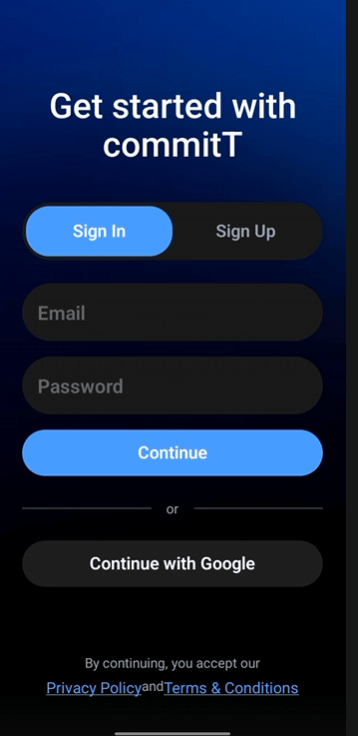
Q: What were we trying to solve? We wanted to implement Google login properly in our app (Expo + Better Auth), with:- Good user experience
- Stable session handling
- No weird redirects or broken auth flows
The Two Types of Google OAuth
Q: What are the two major approaches? We learned that Google OAuth has two completely different approaches:- Web OAuth
- System (Native) OAuth
How Web OAuth Works
Q: How does Web OAuth work? In Web OAuth:- User is redirected to a browser/webview
- Google verifies only 2 things:
- The user knows their Google password
- The OAuth client (web client ID) is valid
- Websites
- Pure web apps
- User experience is worse (app → browser → app)
- Session handling becomes tricky
- Feels clunky and non-native
How System (Native) OAuth Works
Q: How does System-based OAuth work? In System-based OAuth (Google Sign-In SDK), Google verifies 3 things:- User identity → User knows their Google account password
- Device authenticity → Google Play Services verifies the device & Google account
- App authenticity → Verified using the SHA fingerprint of the app
- More secure
- Smoother UX (no browser redirect)
- Ideal for mobile apps
- Feels native and instant
Why We Initially Chose Web OAuth
Q: Why did we start with Web OAuth? Because:- We didn’t fully understand the difference at first
- Better Auth documentation leaned more towards web-style OAuth
- It felt “simpler” to start with
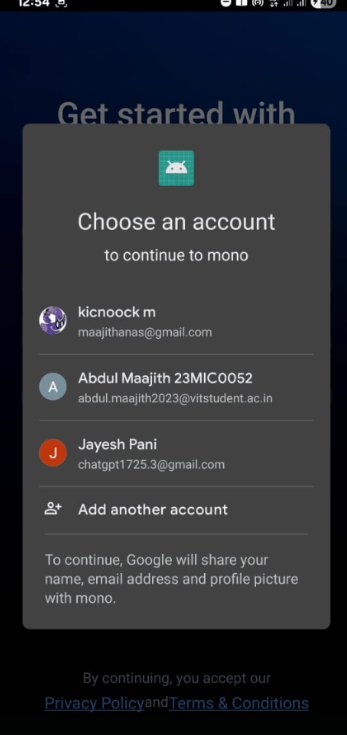
Problems We Faced with Web OAuth
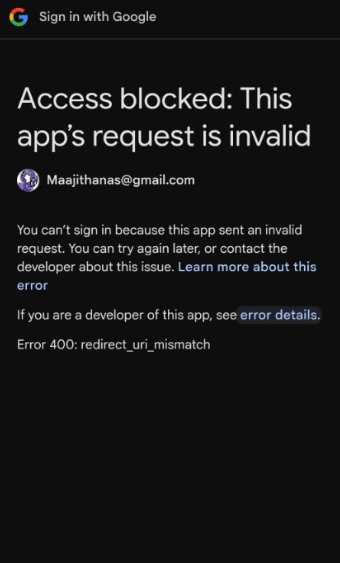
Q: What went wrong?- Dependency mismatches between Expo + Better Auth
- Confusion around redirect URLs and .site server
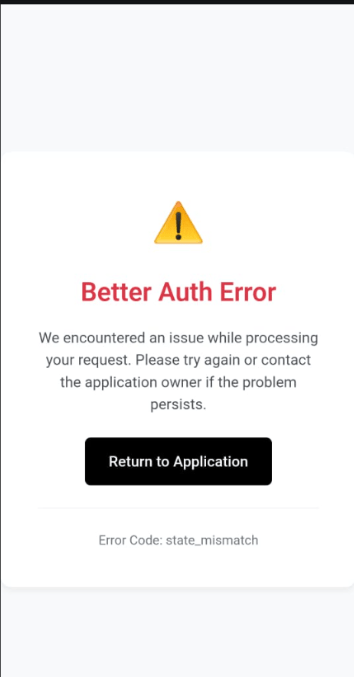
- Session not behaving as expected
- Poor UX due to browser-based login
The Switch to Native OAuth
Q: Why did we decide to switch? Because:- Native Google Sign-In gives better UX
- No browser jump
- Google Play Services handles device validation
- Login feels instant and reliable
What We Learned for Native OAuth Configuration
Q: What needs to be configured for Native Google OAuth? Three things must be configured:1. SHA Fingerprint
- Generated from the app’s signing key
- Uploaded to Google Cloud Console
- Proves that this exact app binary is allowed to log in
2. Web Client ID (Important Confusion Resolved)
At first we asked: “Why do we need a web client ID for native login?” Then we understood:- Every web client ID is mapped to a
.siteserver - Google uses this to know:
- Which HTTP server to send the auth result to
- How to validate tokens server-side (Better Auth / Convex)
3. System / Device Validation
Google Play Services automatically:- Confirms device integrity
- Confirms logged-in Google account
- We don’t manually handle this part
The Final Blocker
Q: What was the final blocker for Native OAuth? Native OAuth requires:- Native modules
- Which means: We must rebuild the app binary
- Expo Go alone is not enough
The Solution
Q: How did we fix it?- We rebuilt the app
- Installed the new native build
- Configured Google Sign-In properly
- Retested the flow
The Final Result
Q: What was the outcome?- ✅ Google login worked successfully
- ✅ Smooth native experience
- ✅ No browser redirects
- ✅ Proper session handling
- ✅ Correct security model
The Biggest Lesson
Q: What’s the key takeaway from this whole struggle?- OAuth type matters a lot
- Web OAuth ≠ Native OAuth
- Better Auth + Expo requires careful alignment
- Native auth almost always means rebuilding
- Good UX often comes at the cost of deeper setup
- But once it clicks — it’s solid
Honest Feedback
What went well:- 👍 Persistence was the reason this worked
- 👍 Didn’t blindly copy-paste configs
- 🔥 Now we actually understand Google login, not just “used it”
- ⚠️ Initial confusion was normal — OAuth is genuinely messy
- The learning curve was steep but worth it
Summary
Today was about understanding, not just implementing. We went from:- Confusion about OAuth types
- To clear understanding of Web vs Native approaches
- To successful implementation of Native Google Sign-In
Proof of Work
The Errors We Battled
The Victory